
One shared view
Replace separate spreadsheets, group chats and paper forms with a club view the committee can understand together.
Members, coaches, money, events and messages in one place.
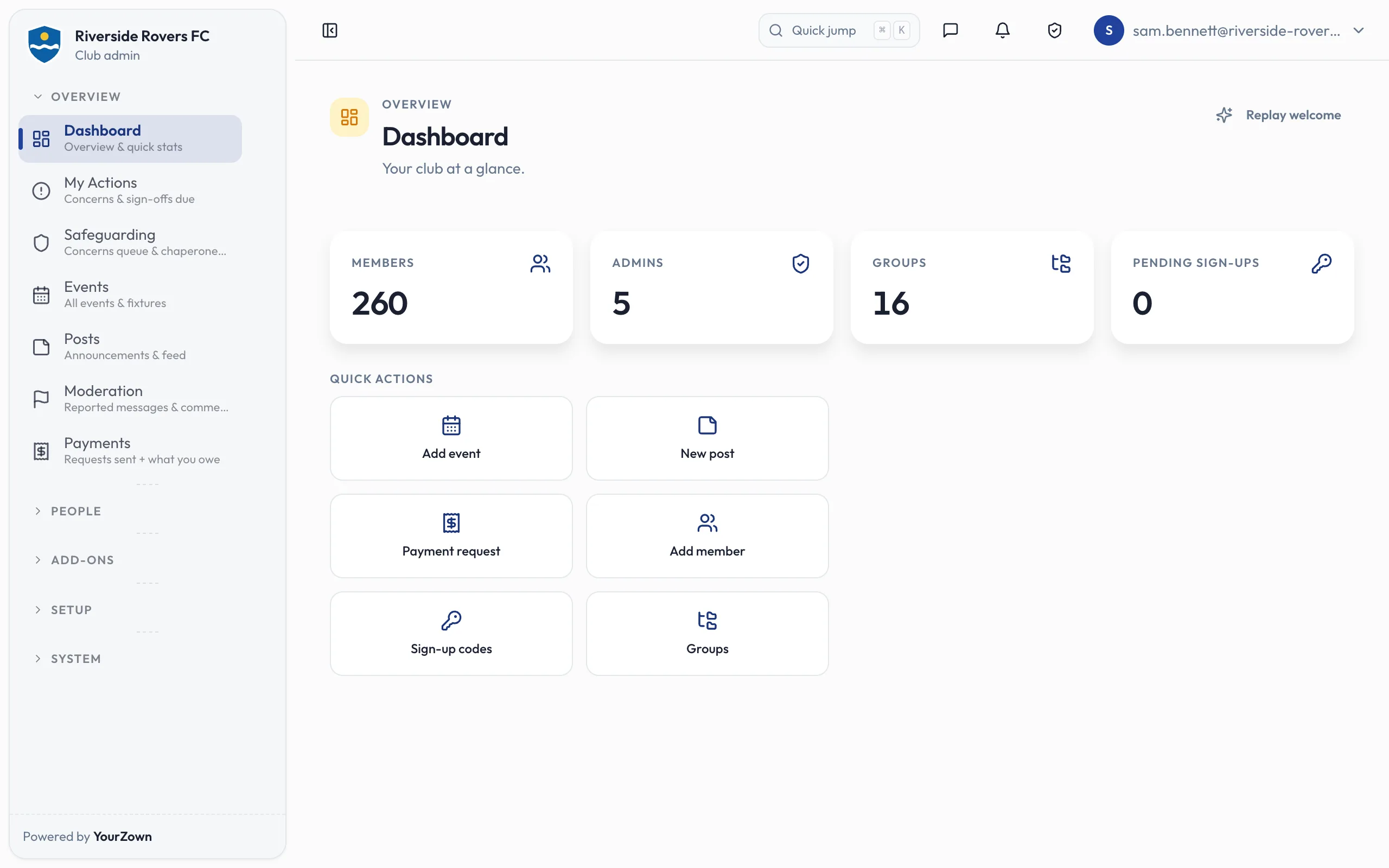
Replace separate spreadsheets, group chats and paper forms with a club view the committee can understand together.
Give the chair, secretary and treasurer the information they need without maintaining their own version of the truth.
Set up the platform around your sections, language, routines and custom fields. Carry your colours, crest and voice into the places members use most.
Build registration around the information your club needs, and no more: consents, medical details, kit sizes and pathway information. Configure the team choice, parent or guardian and emergency contacts, and code of conduct so the questions fit the people joining.
Registration forms and custom fields Book a demo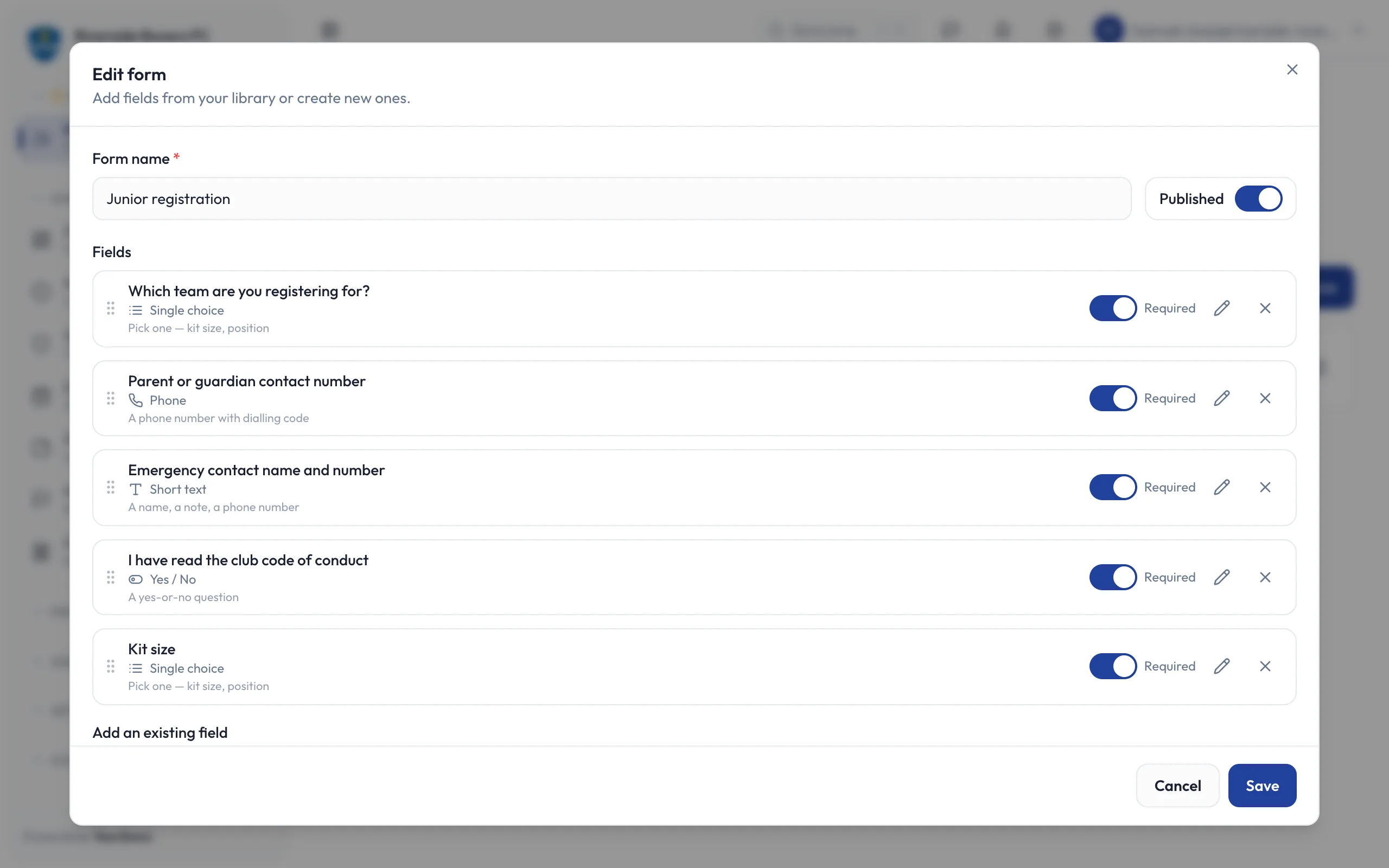
Set up memberships, match fees and reminders alongside the club’s member records. Keep kit charges, match fees and season subs in the same view, so the treasurer can see what has been paid and what still needs attention.
How club payments work Book a demo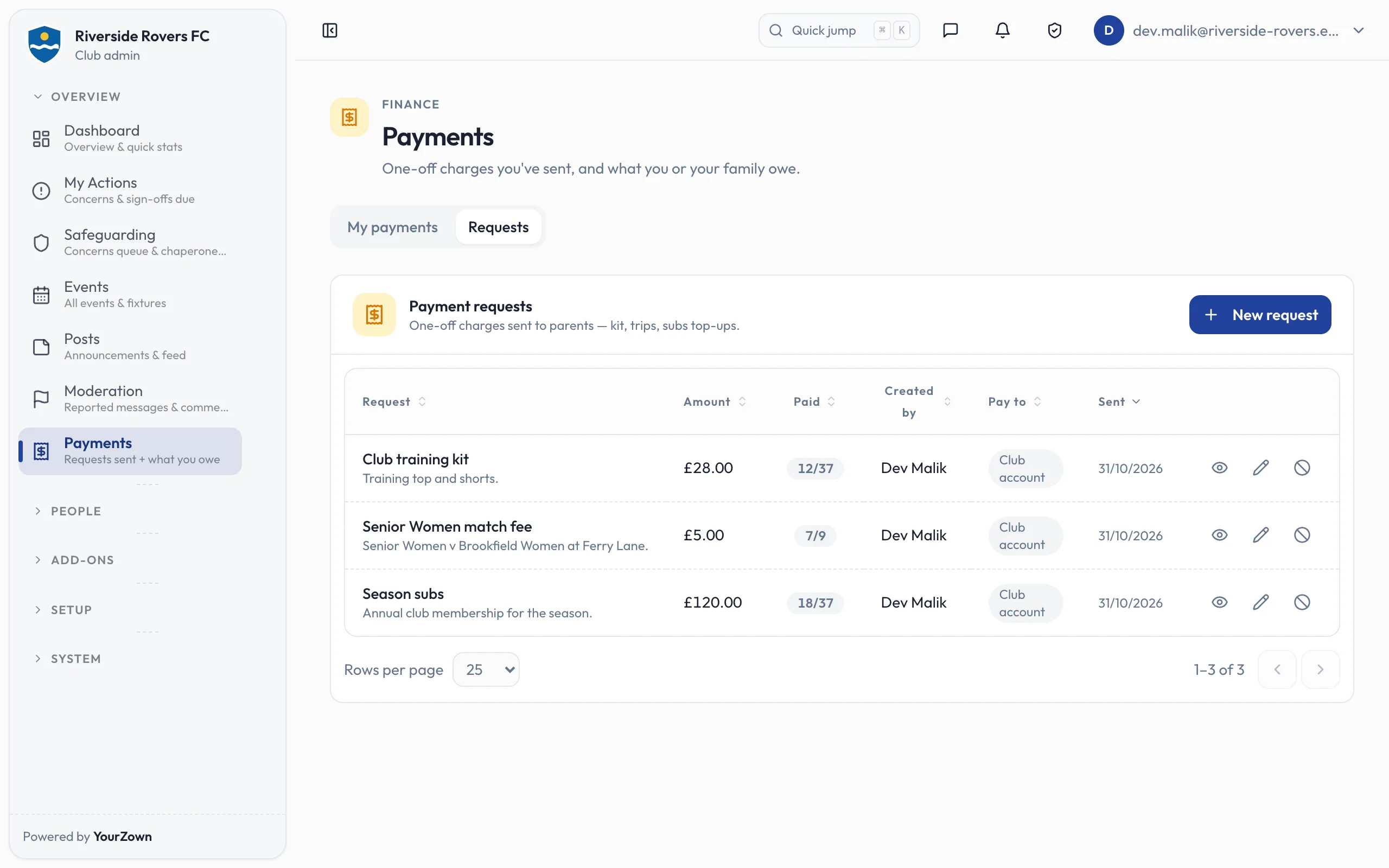
Turn registration, training, match-day and renewal routines into templates the next volunteer can pick up. Keep the fields needed for availability, match days and training with the saved setup, so a change of volunteer does not mean rebuilding the routine.
Book a demo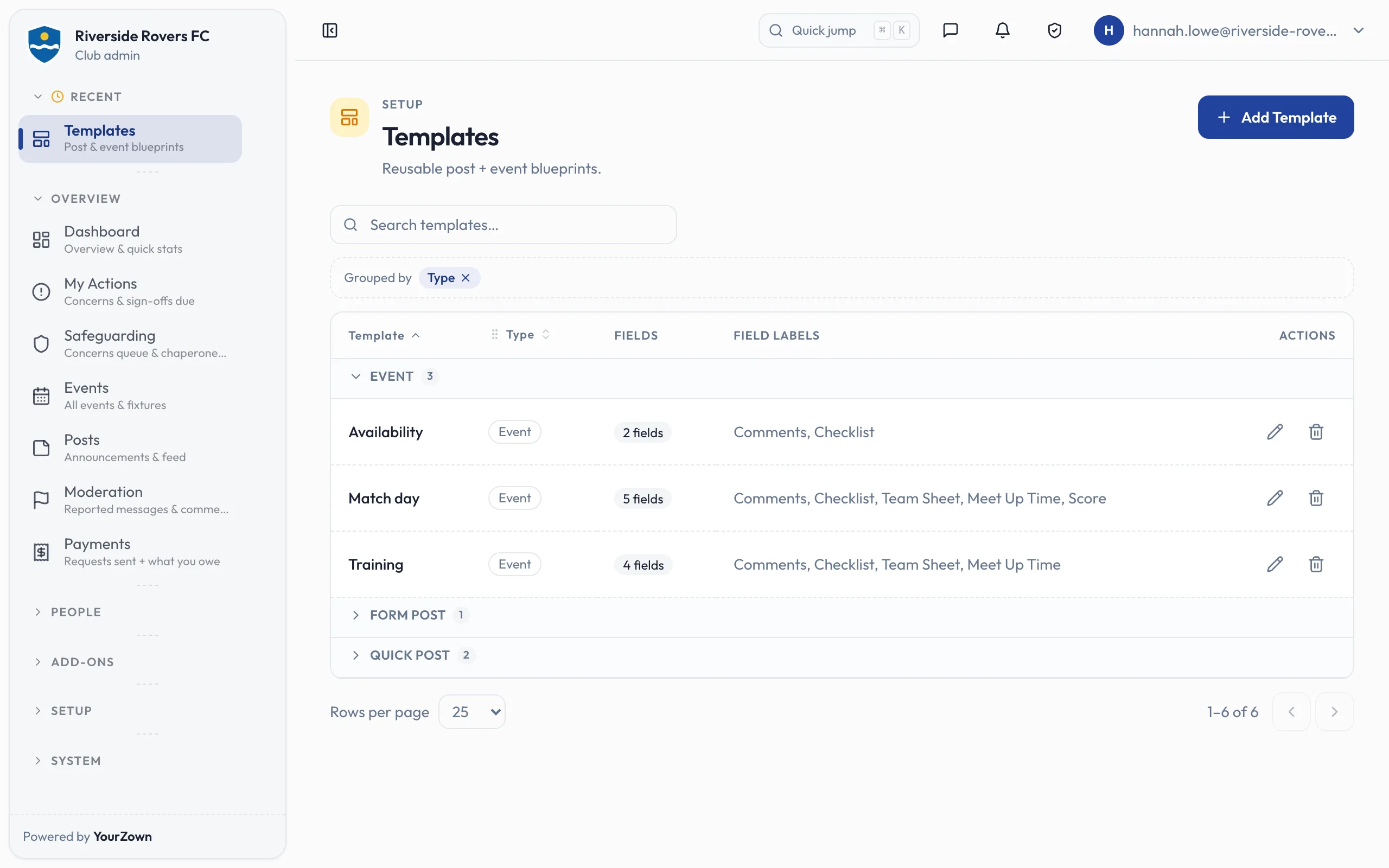
Mark a custom field as sensitive and its answers are stored encrypted, alongside the club records the committee uses.
How club information is handledIt depends on your structure, the state of your data and how much you want to move at once. We’ll turn that into a practical onboarding plan.
Your sections can keep their own teams, routines and coaches, under the club’s one crest and colours, while the committee works from a shared club view.
Yes. You can begin with the workflow causing the most pain, then bring more of the club across in sensible stages.
Upload the member list from a spreadsheet for free, up to 1,000 rows at a time, with problems shown row by row. Teams, venues and events need the Import power-up.
Coming soon: the new YourZown app, in the club’s colours and crest, for the App Store and Google Play. It arrives as an update to the YourZown app, so members who already have it need nothing new. Until then admins run the club in a browser; members can’t use the web.
The club, in its own Stripe account; Stripe handles card details.
A concerns queue and the chaperoned-chat record. DBS and first-aid expiry reminders go to the person and to the club’s admins.
Hosted in the UK, on Google Cloud in London, and the database keeps each club’s records apart. Email, sign-in, push notifications, payments, error reporting and the AI provider sit outside the UK.
Bring one real job from your week and we’ll put it at the centre of the walkthrough.